Plan the trip.
Split the costs.
Keep everything.

TripTrekr is a travel companion for real trips: a day-by-day itinerary you can actually follow, expenses your group can settle without a spreadsheet, flight fares you can watch, and a trip map that works offline. All of it in one app.

Free for 3 trips · no card, no trial clock · works in your browser today

Get the TripTrekr app today

QR code — scan with your phone to open TripTrekr on the App Store
Download on theApp Store
Coming soon onGoogle Play
Three ways to start a trip

Build it yourself

Pick where and when, then add flights, stays, activities, transport, and dining as you book them. The wizard derives the trip name and dates for you.

Free, always

Let AI plan it

Same wizard, one fork: choose your must-visit cities from suggestions with photos and recommended stays, set your pace, and get a complete editable day-by-day plan.

3 itineraries free, then Pro

Start from someone's trip

Import a community itinerary or a trip a friend shared with you, keep its day-by-day plan, extend it with more cities, and make it your own.

Free, always
Journey

Every booking — and everyone — in one place

The Journey tab is the trip at a glance: the next thing coming up, then everything else in order. Confirmation numbers, check-in links, and lockbox codes stay attached to the booking they belong to — for you and everyone traveling with you.

  • ✦Five booking types — flight, stay, activity, transport, dining — each with the details that matter for that type
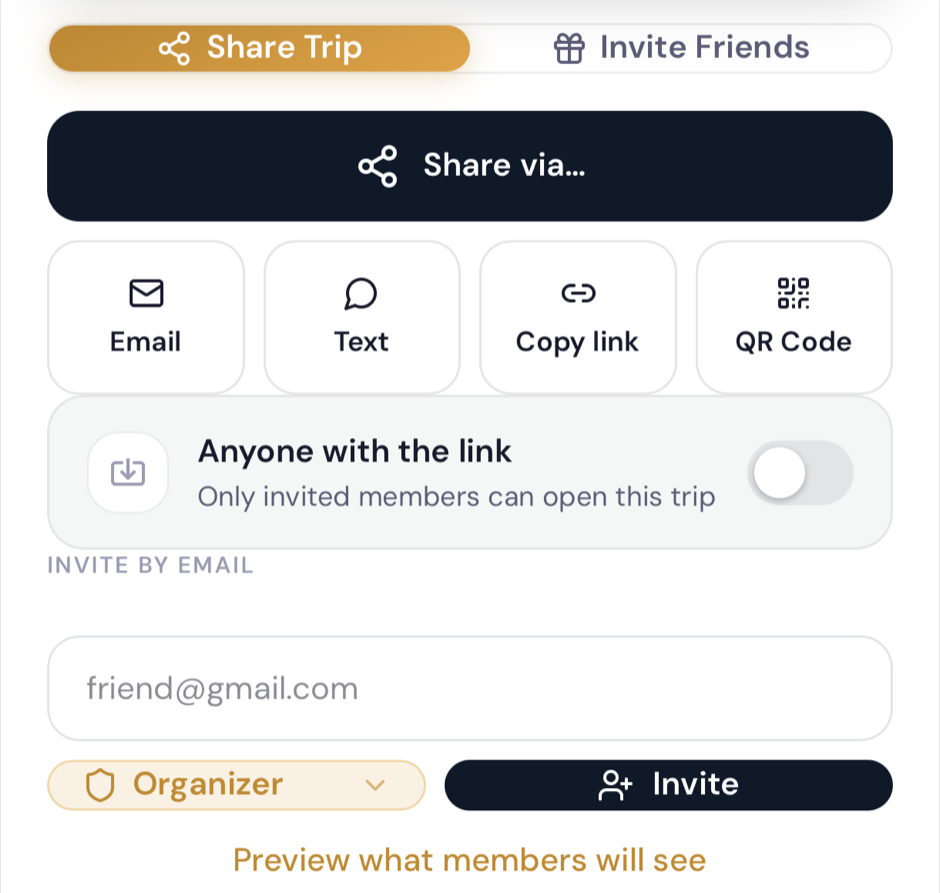
  • ✦Share & Invite — co-plan with roles you control: organizer, contributor, or read-only traveler
  • ✦Bookings arrive on their own — forward a confirmation email, or sync Google Calendar PRO and travel events land in the right trip
  • ✦Packing checklist per trip, organised by category, done before you fly
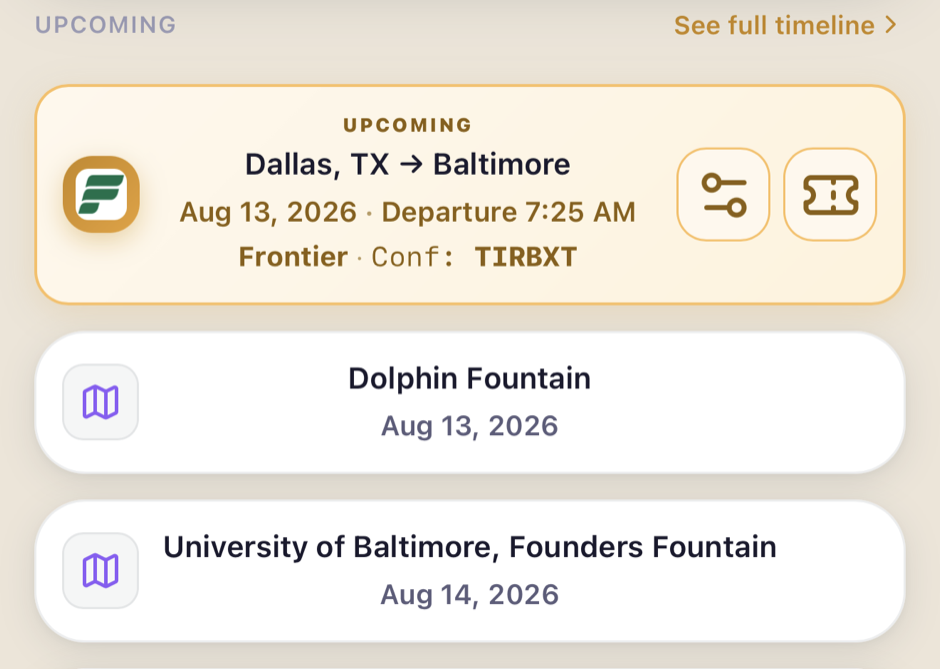
Journey tab: the upcoming Dallas to Baltimore flight with airline, departure time, and confirmation number, followed by the trip's activities and the flight home
Share sheet: share the trip via email, text, link, or QR code, and invite by email with organizer and contributor roles
Timeline

A plan you can follow — and a map that shows it

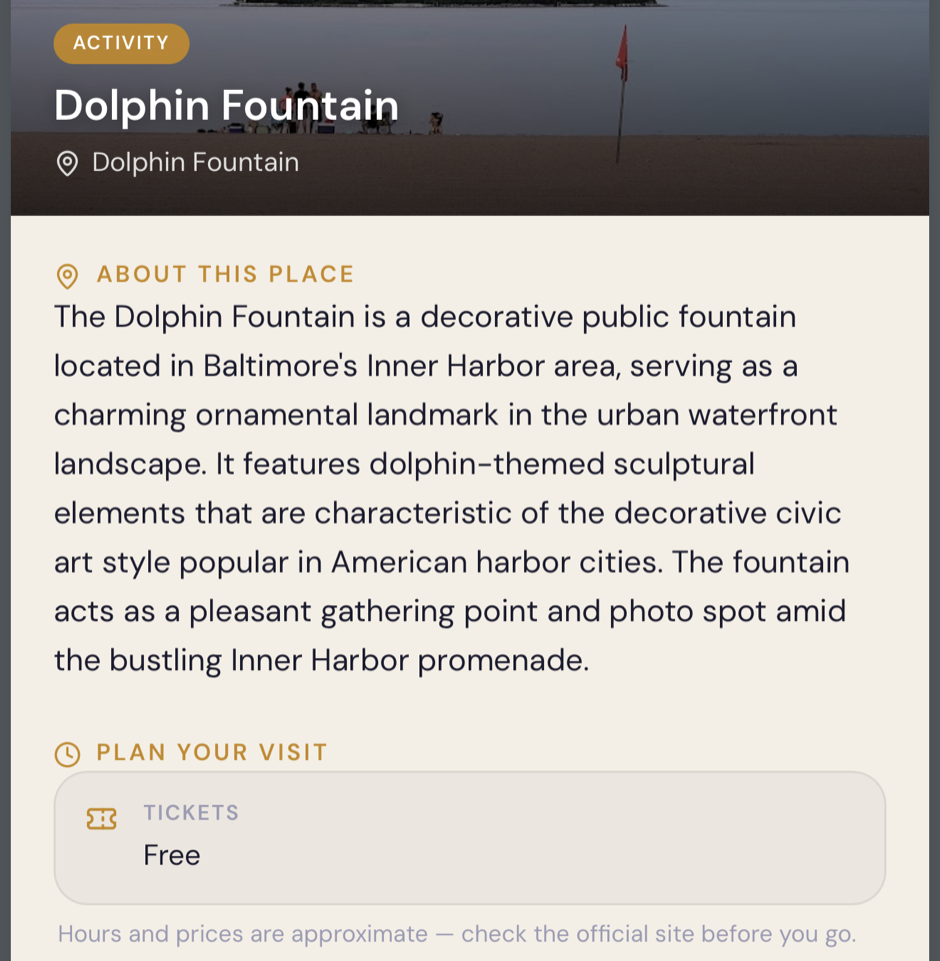
Each day is its own page: bookings in order, and on days with room, the top three places worth your free time — ranked, not random. Tap any activity for hours, addresses, and approximate ticket prices before you go.

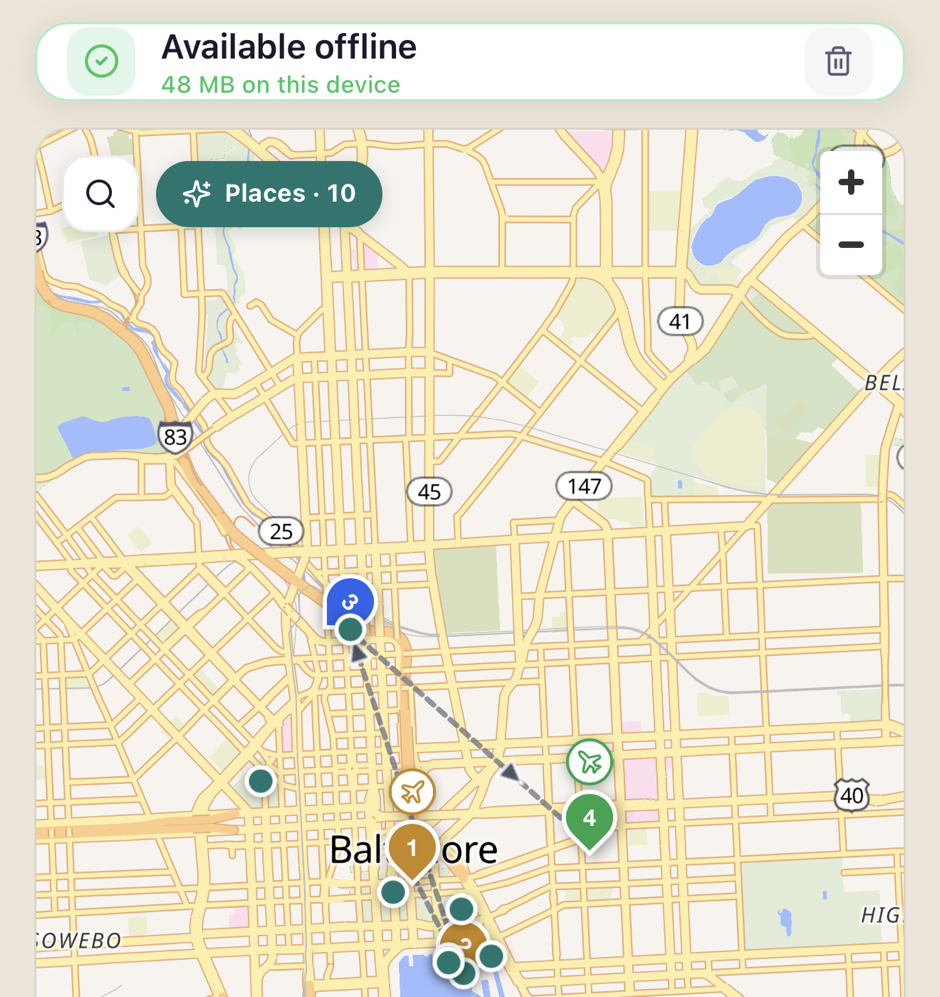
  • ✦Day-colored pins plot the whole itinerary; flights sit on the airport itself with landing and take-off badges
  • ✦Distance and duration between cities, drawn as route legs on the map
  • ✦National-park alerts surface closures and advisories for parks on your route
  • ✦Offline maps — save the trip region to your phone in the iOS app and the map, places, and photos work with no signal
Trip map of Baltimore saved for offline — 48 MB on this device — with day-colored pins, airport badges, and the route between stops
Place insights for Dolphin Fountain: what it is, ticket price (free), and why it's popular — before you go
Expenses

Split the bill, not the friendship

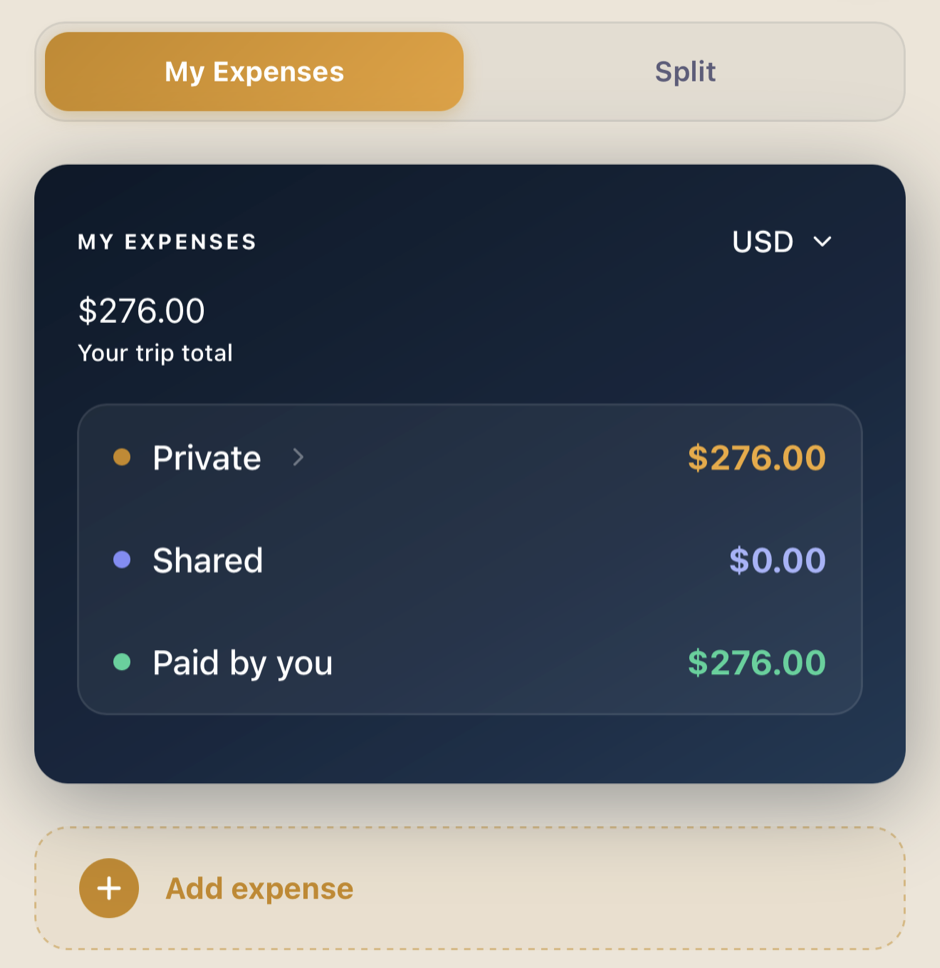
Log what the group spends, in whatever currency you spent it. TripTrekr keeps a running answer to the only question that matters at the end: who owes who, and how much.

  • ✦Even, custom, or per-person splits across expense groups — couples, subgroups, the whole crew
  • ✦150+ currencies with live conversion, private expenses excluded from the settle-up
  • ✦Settle up collapses everything into the fewest payments, and records the ones already made
  • ✦Snap a receipt and it reads the total for you PRO · export the summary as a PDF PRO
Expenses tab: the trip total with private, shared, and paid-by-you buckets
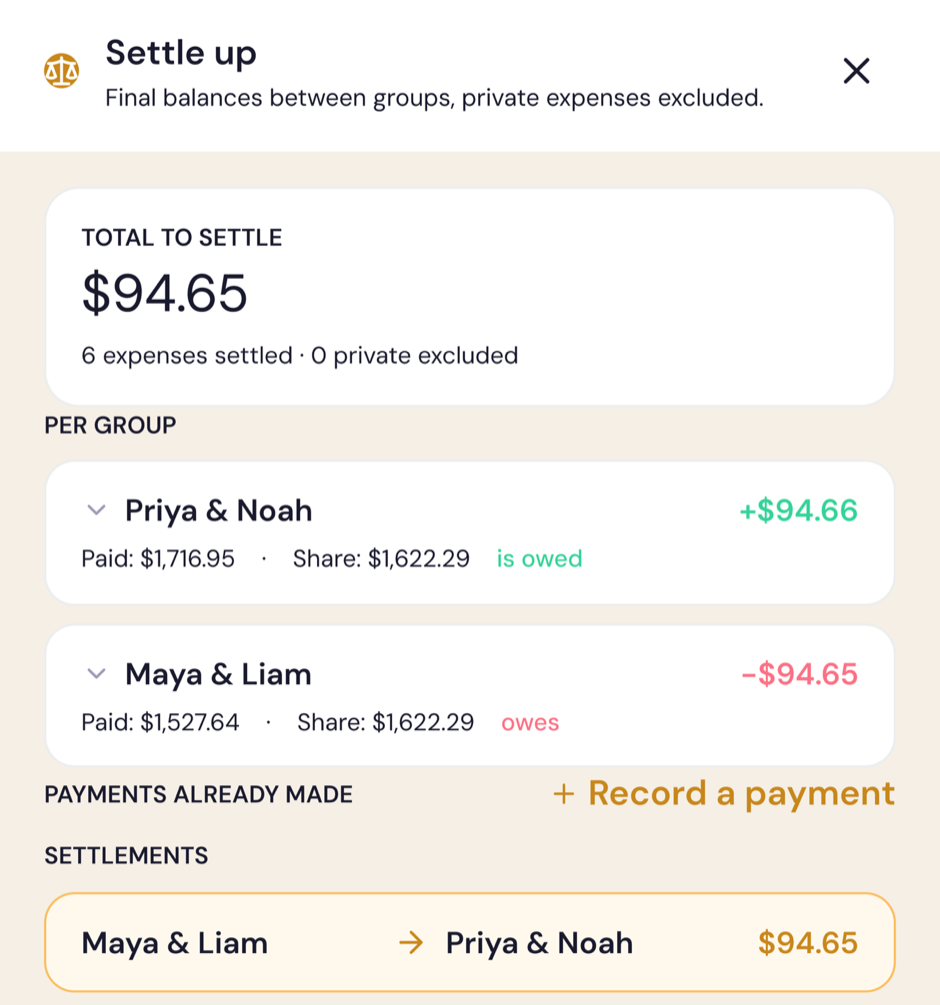
Settle up sheet: final balances per group and the single payment that clears them
Discover

What's actually worth it, where you are

Discover anchors to your trip's city and shows ranked attractions and restaurants with real ratings — filtered to your dietary preferences, with the week's weather along the top. One tap slots a place into the right trip day.

  • ✦Things to do and restaurants, dietary-aware, with ratings and review counts
  • ✦All ~474 U.S. National Park units — fees, hours, alerts, and things to do, in a dedicated browser
  • ✦AI destination ideas when you don't know where to go next
  • ✦Rate the places you visit and climb the traveler leaderboard
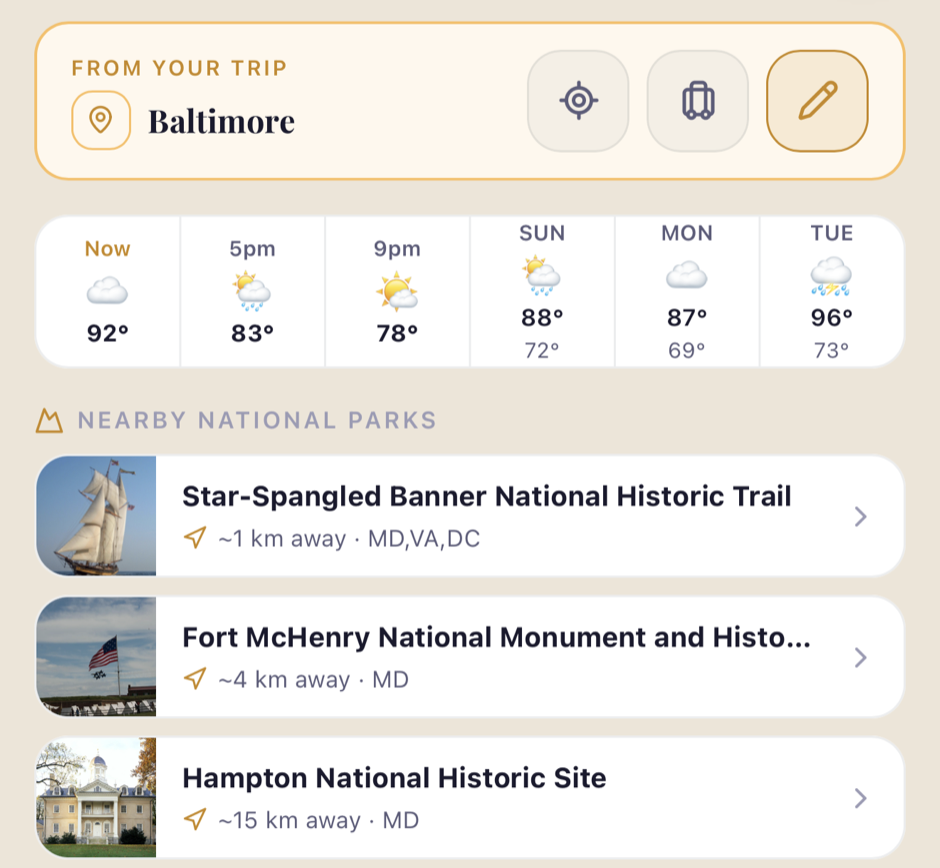
Discover tab anchored to Baltimore: the week's weather and nearby national parks with distances
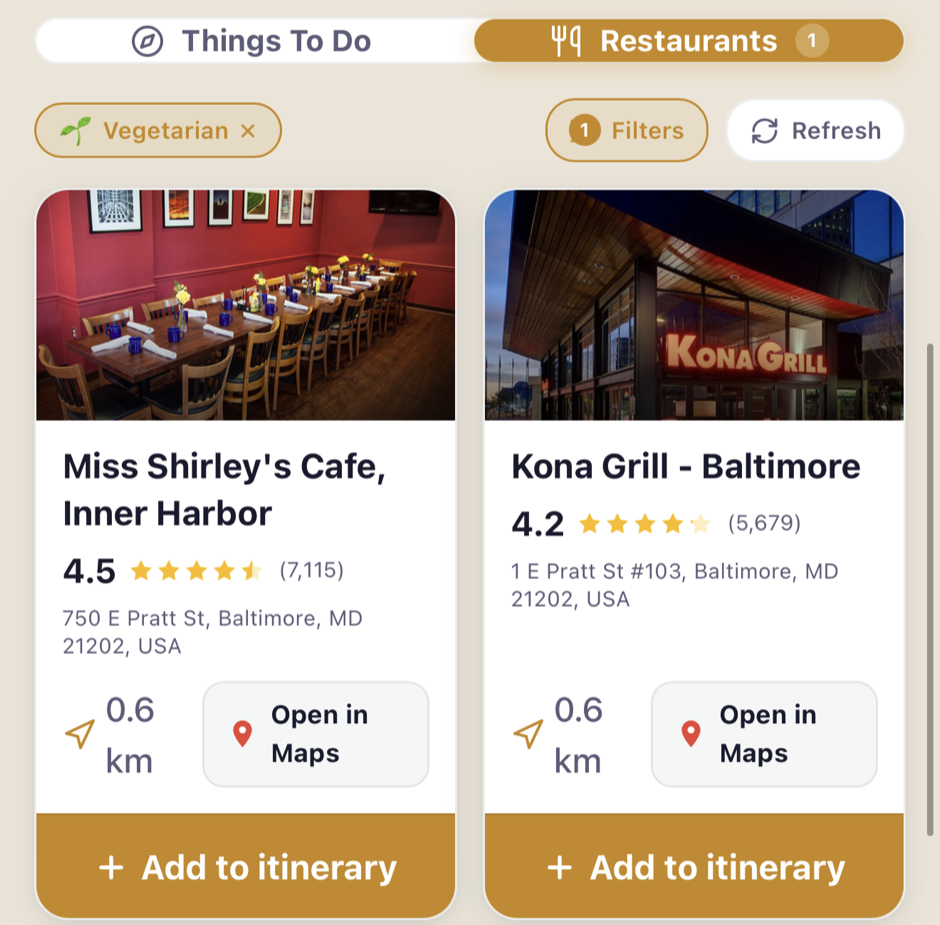
Discover restaurants with a vegetarian filter on: real ratings and review counts, distance, and one-tap add to itinerary
Plan

Explore trips, watch fares, book smarter

Explore is a library of complete itineraries — trips published by other travelers next to TripTrekr Recommended picks, over a hundred destinations, each with its own photography and honest day counts. Filter by style and budget, and import any of them as your starting point.

  • ✦Fare watch tracks a route's price with history and drop alerts — including both leg tickets of a round trip or an open-jaw route
  • ✦Route optimizer orders your cities for the road, suggests how to travel each hop (train in Europe, drive short hops, fly long ones), and plans the round trip out of your home airport
  • ✦Season insights show typical weather, price season, and crowds for the month you're browsing — before you commit to dates
  • ✦Cheapest arrival airport suggestions near your first city, scored by fare and transfer distance
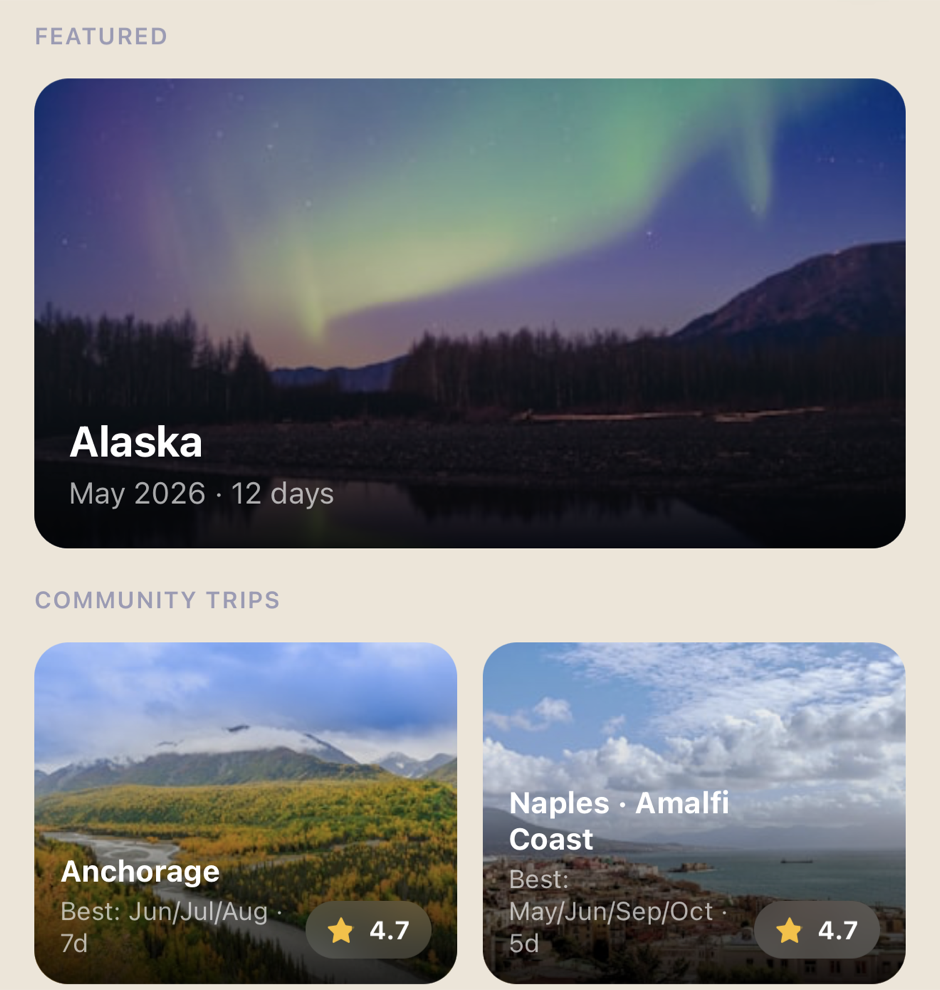
Explore in the Plan tab: a featured 12-day Alaska trip and community itineraries with ratings and best months
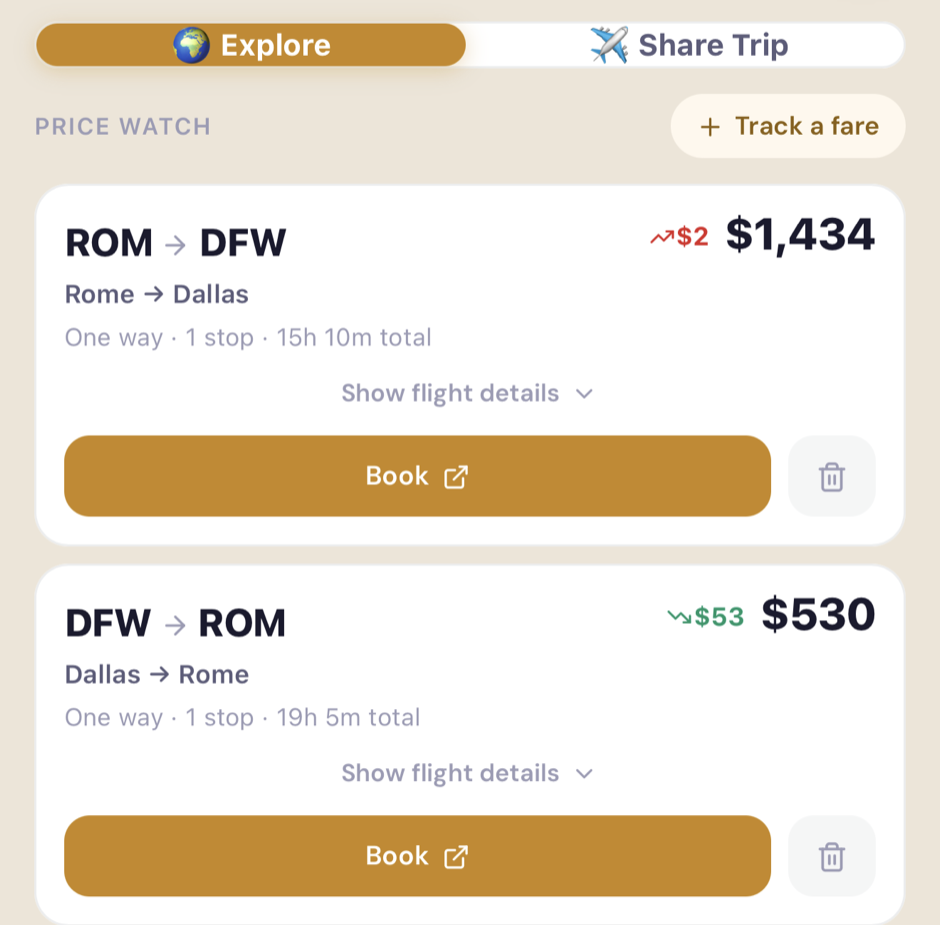
Price watch: both legs of a Rome–Dallas round trip tracked with live price changes and a Book button
Afterwards

The trip doesn't end when you land

Every other travel app goes quiet the moment you get home. TripTrekr turns the trip you just took into something worth opening again — a story told back to you, and a book you can actually turn.

  • ✦Trip Story — your finished trip, told back day by day: what you wrote, what you photographed, where you went, and the numbers worked out from the trip itself. Free, and always will be — it's the reason to open the app in the eleven months between holidays
  • ✦Memory Book PRO — not a PDF you download. Pages of photo stock on a dark table that you turn with your thumb, each spread taking its colour from that day's pins on the map. Turn your phone sideways and it opens like a real book, two pages at a time
  • ✦Your photos are yours. Five families can plan one holiday together and each come away with a book of their own — pictures you add while reliving are stored against your account, never added to the trip, and not visible to anyone else on it
  • ✦Write it down while you remember it. A line about each day, from the day's own header — the one thing the app can't work out for itself, and what turns a list of place names into something worth reading
The full features

Everything inside, mostly free

This list is kept in step with the app — if it's here, it's shipped. Anything unmarked is free.

Memory Book

Your finished trip as a book you turn — and in landscape, one you open two pages at a time.

A book of your own

Photos you add while reliving stay yours: everyone on a shared trip gets their own keepsake.

TripTrekr Recommended

A curated trip catalog: 107 destinations, each with its own photography, importable day-by-day.

Flight-aware route optimizer

Multi-city routes ordered for the road, with the flight in and the flight home planned around them.

Two-leg fare tracking

Round trips and open-jaw routes tracked as the two tickets you'll actually book.

Planning

  • Trip wizard — where, when, then build yourself or hand it to AI
  • AI itineraries — complete day-by-day plans, always editable 3 FREETHEN PRO
  • Multi-city route builder — must-visit suggestions per country, days per city, reorderable legs
  • Route optimizer with per-hop travel-mode suggestions
  • Season insights — weather, price season, crowds by month
  • Popular-places ideas on days with free time
  • Place details — hours, tickets, tips before you visit
  • Packing checklists by category

Money

  • Expense tracking by category 20/TRIP FREE
  • Group splitting — even, custom, per-person; expense groups
  • 150+ currencies, live conversion
  • Settle up — fewest payments, record what's paid
  • Receipt scan — photograph it, we read the total PRO
  • PDF expense export PRO

Together

  • Share & Invite — co-plan one trip with roles: organizer, contributor, traveler 3 FREE
  • Share & Plan — send a copy someone can make their own
  • Community trips — publish yours, import others'
  • Ratings & leaderboard for the places you visit
  • Refer & earn

Flights & automation

  • Fare watch — live prices, history, drop alerts
  • Return & open-jaw tracking — both legs in one flow
  • Cheapest arrival airport suggestions
  • Flight details — status, times, stops, layovers
  • Email-forward import — confirmations become bookings
  • Google Calendar sync — read-only, disconnect anytime PRO

Afterwards

  • Trip Story — your finished trip told back, day by day
  • Day journal — a line about each day, written from its own header
  • Memory Book — a book you turn, not a file you download PRO
  • Two pages at a time — landscape opens it like a real book
  • Private photos — everyone on a shared trip gets their own book
  • Add photos to any day from the page you're reading

On the road

  • Trip map — day-colored pins, route legs, plane badges
  • Offline trip bundle — map region, places & photos saved on-device (iOS app)
  • Offline viewing of trips and expenses everywhere
  • Discover — dietary-aware attractions & restaurants
  • National Parks browser — ~474 U.S. park units
  • Park alerts on your timeline

Platform

  • Web app — install it or use any browser, today
  • iPhone app — free on the App Store
  • Desktop & iPad layout with a proper sidebar
  • Sign in with Google or Apple
  • Multi-language support — use the app in your language
  • Your home airport, remembered across devices
  • Delete your account — and everything with it — anytime

Free first. Honestly.

There's no paywall at the door and no trial that expires behind your back.

Free

No card. No clock.

  • ✦3 trips of your own, unlimited bookings in each
  • ✦20 expenses per trip, full splitting & settle-up
  • ✦3 invitees per trip with full roles
  • ✦3 AI itineraries to try, yours to keep
  • ✦Fare watch, maps, Discover, community imports, email-forward import — all included

Pro

Everything in Free, without the limits — 7-day free trial.

  • ✦Unlimited trips, expenses, invitees, and AI itineraries
  • ✦Google Calendar sync — travel events flow into trips automatically
  • ✦Receipt scan — the total, read for you
  • ✦PDF expense export for the group
  • ✦Memory Book — your trip as a book you turn, private to you
  • ✦Message trip authors about the itineraries they've published
Privacy

Your data stays yours

TripTrekr only requests what it needs to power the features you use. We never sell your data or use it for advertising. Our use of information from Google APIs follows the Google API Services User Data Policy, including the Limited Use requirements. Read the full Privacy Policy.

Google & Apple sign-inOnly your name, email, and photo — to create and identify your account.
Google Calendar — read-only & optionalReads only your events to add travel to your trips. Never used for ads or shared. Disconnect anytime.
Secured by Google & StripeStored in Firebase with encryption; payments handled by Stripe — we never see your card.

The next trip deserves
better than a spreadsheet.

Open TripTrekr in your browser or get it on your iPhone — free, no card.